Use · Offline nearby
The offline walkie talkie app that keeps talking when the signal drops.
On a trail, in a canyon or in a packed stadium, mobile data is the first thing to go. With TapHAIL on Android, phones near each other link directly over Bluetooth and Wi-Fi, so your crew keeps pressing to talk with no bars at all.
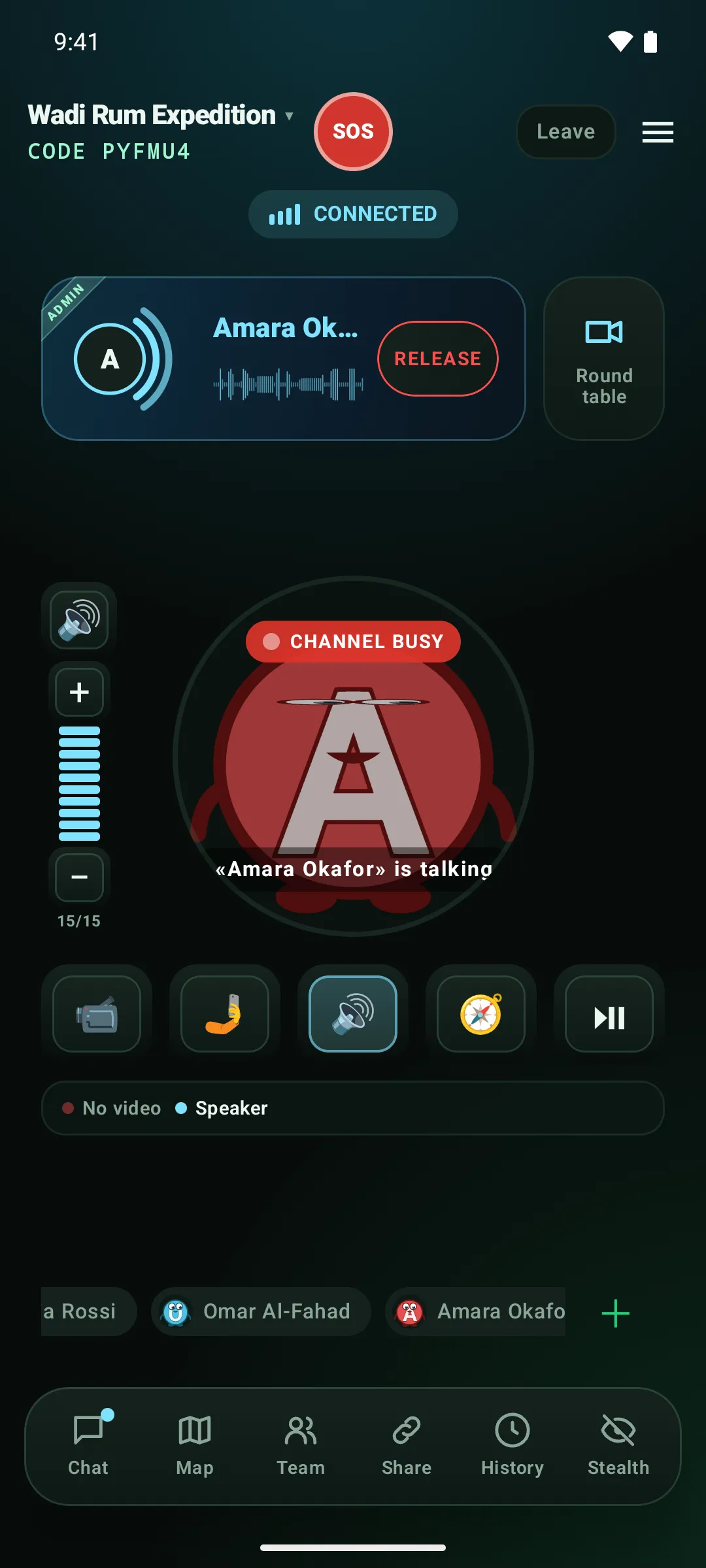
How talking offline works
Join one channel while you still have signal
Everyone joins the same channel with its 6-character code, at base camp, at the gate or in the car park. That is the only step that needs the internet.
Keep TapHAIL running and nearby devices allowed
When Android asks, allow nearby devices (Bluetooth and Wi-Fi). TapHAIL uses them to find the other phones on your channel.
Hold to talk, as always
When the network goes, phones within range link to each other on their own. You press and talk the same way; nothing to switch.
Everything catches up later
Positions keep flowing between nearby phones, History keeps every transmission to replay, and it all syncs when the network returns.
A day with no bars: a ride club on a remote road
A ride club sets off early on a mountain road. In the café car park, with signal still strong, the ride leader makes a channel called Convoy and reads out its 6-character code. Everyone joins, and the riders allow nearby devices when Android asks.
An hour in, the road drops into a valley and the bars disappear. Nobody touches a setting. The leader holds the volume key and says there is gravel on the next bend; the riders close behind hear it, because their phones have already linked to each other over Bluetooth and Wi-Fi.
A rider near the back stops for a puncture. The back marker hears it, calls a halt, and the group waits instead of splitting up. When the road climbs back into coverage, History fills in, positions sync, and the friend following the ride from home on the web app hears the group again.
Online and offline, side by side
- With mobile data or Wi-Fi: your voice reaches the whole channel anywhere in the world, in under a second.
- With no signal: phones near each other talk directly over Bluetooth and Wi-Fi, Android to Android.
- Back online: history and positions sync, and the channel reaches everyone again.
Your checklist before the signal goes
| Check | What to do | Why it matters |
|---|---|---|
| One channel | Everyone joins the same channel with its 6-character code | Offline talk links the phones on your channel |
| Nearby devices | Allow nearby devices when Android asks | This is how the phones find each other |
| Bluetooth and Wi-Fi | Leave both switched on, even with no Wi-Fi network around | They carry the voice between phones |
| TapHAIL running | Keep the app running, not closed | The phone stays ready to link and to talk |
| A talk key | Choose Volume Up, Volume Down or a physical PTT key in Settings | Talk with gloves on or the phone in a pocket |
| Charge | Start full and carry a power bank on long days | A flat phone drops out of the group |
| Who is on Android | Check which phones are Android | Offline talk is Android to Android |
Where an offline walkie talkie helps
- Trekking groups and expeditions on mountain trails and in valleys
- Festivals, concerts and stadiums where the mobile network is overloaded
- Convoys and ride clubs on remote roads
- Relief teams and volunteers where the network is down
- Basements, car parks and large buildings with weak coverage
- Tour guides keeping a group together
Getting the best range
- Keep Bluetooth and Wi-Fi switched on, even with no Wi-Fi network around.
- Stay within range of each other: open ground carries further than walls, rock and crowds.
- Spread phones along the group so the people at the front and back stay in reach.
- Agree a regroup point before you go, in case someone drifts out of reach.
- Keep the phones charged; a power bank helps on long days out.
Good to know
Offline talking is phone to phone on Android. The web app and iPhone need mobile data or Wi-Fi, and they join in as soon as they are online.
TapHAIL keeps your crew talking. It does not replace emergency services: in an emergency, call your local emergency number.
Questions
Is there a walkie talkie app that works without internet?
Yes. TapHAIL on Android talks phone to phone over Bluetooth and Wi-Fi when there is no mobile data, so a group near each other keeps talking. With a network it reaches anywhere in the world.
Do I need to set anything up before I lose signal?
Join the same channel while you are still online. After that, offline talking starts on its own when the network goes.
How far does offline talking reach?
It reaches as far as Bluetooth and Wi-Fi between nearby phones, which depends on the phones and the ground: open space carries further than walls, rock or crowds. Keep the group within reach of each other.
Does it work offline on iPhone or in the browser?
Not yet. Offline talking is Android to Android. On iPhone and in the web app, TapHAIL needs mobile data or Wi-Fi.
Do I need a Wi-Fi network or a SIM card to talk offline?
You need the internet once, to sign in and join the channel. After that, offline talk uses the phones' own Bluetooth and Wi-Fi, with no Wi-Fi network around.
Is what we say offline saved?
Yes. History keeps every transmission with its real audio to replay, and it syncs when the network returns.
Is TapHAIL free?
Yes. The app is free on Google Play, as a direct download and in the browser, with no ads and nothing locked.