Use · Event crews
The walkie talkie app for event crews, on the phones they already carry.
Stage, gates, security, medical and runners: give every team its own channel and talk to them with one button. No radios to rent, charge, licence or collect at the end of the night.
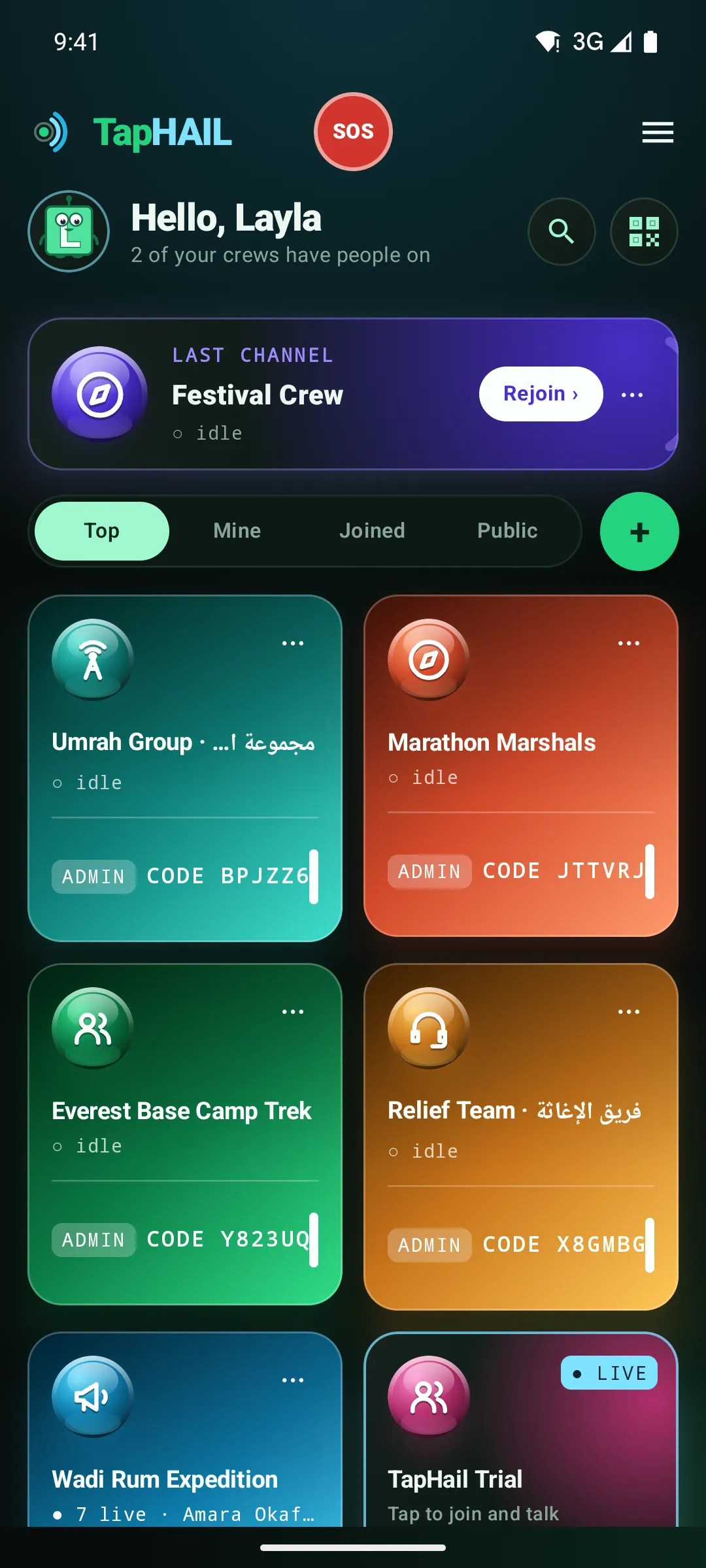
Set up your event in minutes
Make a channel for every team
Stage, gates, security, medical, runners, the production office. Channels are unlimited, each with its own 6-character code.
Share the code, a link or a QR
Print the QR on the crew briefing sheet or send the link in the crew group. New people join in seconds, on Android or in any browser.
Hold to talk
Press, speak, release: the whole channel hears you in under a second, wherever they are on site.
Keep the night on record
History keeps every transmission with its real audio, so the next shift can catch up on what was said.
A channel plan for a typical event
| Channel | Who is on it | What it carries |
|---|---|---|
| Production | Event manager, team leads, the production office | Decisions, timings, anything that touches more than one team |
| Stage | Stage manager, crew, artist liaison | Changeovers, cues, who is on next |
| Gates | Gate leads and stewards | Queues, wristbands, opening and closing |
| Security | Security lead and team, members-only | Incidents, patrols, crowd pressure |
| Medical | First aid team and the production office | Calls for help and where to go |
| Runners | Runners and whoever needs one | Fetch, carry, deliver |
A night on the channels
Doors are at six. At half four, the event manager turns the Production channel into a short Roundtable for the briefing, and when the time is up everyone is back on push-to-talk.
At six, the gate lead holds the volume key and tells the Gates channel to open lane two. A steward with a Wear OS watch answers from the wrist with the phone still in a pocket. Backstage, the artist liaison runs Stealth mode, so the channel stays in the earpiece and the screen stays dark.
The headline set fills the field and the mobile network slows. Android phones near each other keep talking over Bluetooth and Wi-Fi. The stage manager holds a runner to talk to them alone about a missing cable, and the rest of Stage never hears it.
At the end of the night, the security lead rings the morning crew lead into Security with a reason. The next day starts with a replay of what was said, not a guess.
Made for loud, busy sites
- Talk with the volume key or a physical PTT button, without looking at the screen.
- Slide up to lock the button for hands-free talk, or let VOX talk when you speak.
- Hold a teammate to talk to them alone, without the whole channel hearing.
- Ring someone into a channel with a reason; they accept, say later or decline.
- Stealth mode sends voice to the earpiece and keeps the screen quiet, for backstage and quiet rooms.
- When the mobile network is overloaded, Android phones near each other keep talking over Bluetooth and Wi-Fi.
One app for the whole crew
- Crew leads on Android, the production office on laptops in the browser, all on the same channels.
- A Wear OS watch lets stewards hold to talk from the wrist and keep the phone in a pocket.
- Live translation shows subtitles in each person's language, for international crews.
- A private team map shows only the people who choose to share, and it is off by default.
- Turn a channel into a timed video meeting for the pre-show briefing, then go straight back to push-to-talk.
Event radios or TapHAIL
- Radios are hardware to rent, charge, licence and collect. TapHAIL runs on the phone your crew already carries.
- Radios reach a few kilometres. TapHAIL reaches anywhere there is 4G, 5G or Wi-Fi, so the off-site team stays on the channel.
- A radio crew is stuck on a few channels. TapHAIL channels are unlimited, and you can invite anyone in a tap.
- On a radio, a missed call is gone. TapHAIL keeps every transmission to replay.
Safety on every screen
SOS sits in the same place on every screen. Where SOS is live (Kerala today), one tap alerts the channel and your emergency contact with your location, and Silent SOS works when you cannot speak.
TapHAIL keeps your crew talking. It does not replace emergency services: in an emergency, call your local emergency number.
Questions
Can I use my phone as a walkie talkie for an event?
Yes. Put TapHAIL on the crew's phones, make a channel for each team and share its code. Everyone holds one button to talk, on Android or in any browser.
How many channels can an event have?
Channels are unlimited, so every team can have its own, and you can invite anyone in a tap with a code, a link or a QR.
Can crew talk without touching the screen?
Yes. On Android you can talk with the volume key or a physical PTT button, lock the button for hands-free talk, or use VOX.
What if the mobile network is overloaded at the venue?
Android phones near each other keep talking over Bluetooth and Wi-Fi when the network fades, and everything syncs when it returns.
Can I keep the security channel to security staff only?
Yes. A channel can be open or members-only, so you choose who can join each team's channel.
Can crew on iPhone join?
Yes, through the web app: open it in Safari and add it to the Home Screen. The iPhone edition is on its way. On iPhone, TapHAIL needs mobile data or Wi-Fi.
Can a late shift catch up on what happened?
Yes. History keeps every transmission with its real audio, and anyone coming back gets a "while you were away" recap.
Does it cost anything?
No. TapHAIL is free on Google Play, as a direct download and in the browser, with no ads and nothing locked.